
llms.txt: What It Is, Whether Engines Read It, and How to Write One for a Publisher Site

Every year or so a new file shows up at the root of publisher sites, and this cycle’s file is llms.txt. The pitch is tidy: drop a short Markdown document next to robots.txt, and ChatGPT, Gemini, Perplexity, Copilot, and Google AI Overviews will finally understand what your site covers and cite you more often.
Most of that pitch does not hold up. Google has said in writing that Search ignores the file, and the largest server-log study published so far found that almost nothing fetches it. And yet the file is cheap, it is becoming a CMS default, and there is a narrow, real use for it that has nothing to do with search rankings.
This post gives you the definition, the on-record positions from Google and from the log data, a worked example file written for a news and service-journalism site, and a way to check your own logs so you are deciding from evidence rather than from a plugin’s sales page.
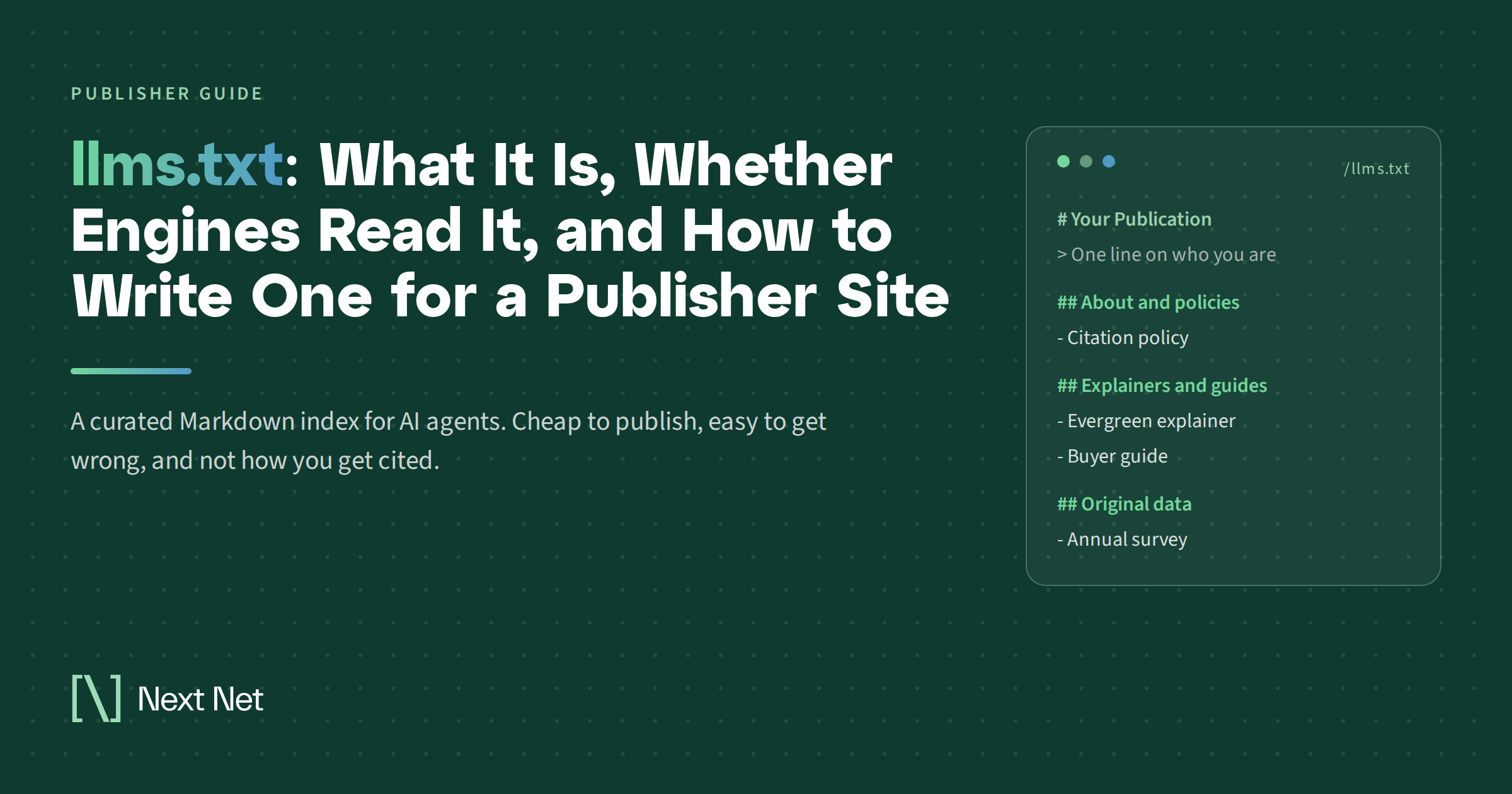
An llms.txt file is a plain Markdown document served at the root of a domain (yoursite.com/llms.txt) that gives large language models and AI agents a short, curated summary of what the site is, plus links to its most important pages with a one-line description of each. It was proposed in September 2024 by Jeremy Howard, co-founder of Answer.AI, to help agents use a website at inference time without parsing every HTML page. It is not a crawler directive: it does not allow, block, or control access to anything, and as of this writing no major AI search platform has committed to reading it.
What llms.txt is, and what it is not
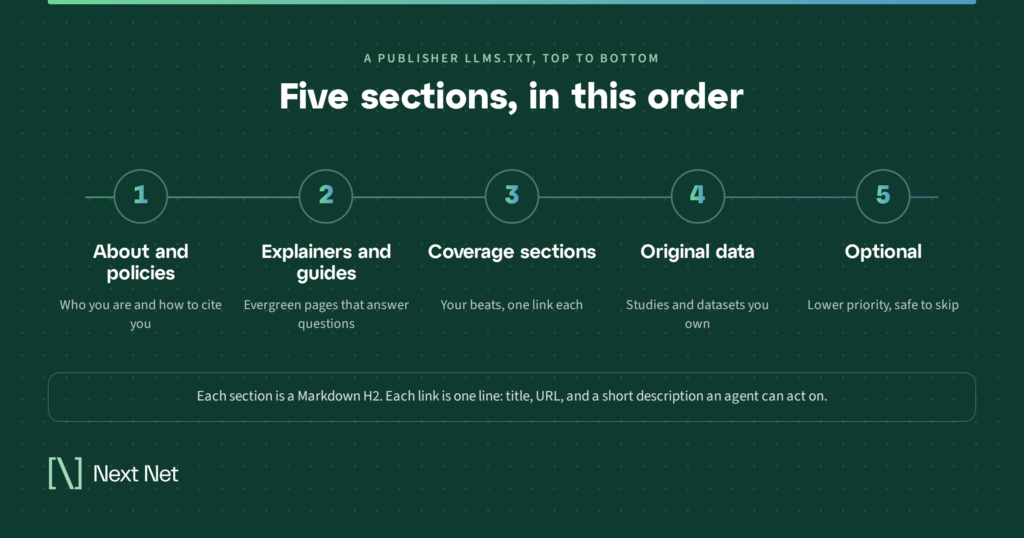
The llms.txt specification is short enough to read over coffee, which is part of its appeal. A conforming file has one required element, an H1 with the name of the site or project. Everything after that is optional but expected: a blockquote with a one- or two-sentence summary, a few paragraphs of context, and then H2 sections that each hold a list of links in the form of a Markdown hyperlink followed by a colon and a note about what the page contains. An H2 titled “Optional” is reserved, by convention, for links an agent can skip when it is short on context.
The spec was revised in August 2026 based on two years of adoption. Version 2 lets a file live at any subpath (so /guides/llms.txt covers only the guides), recommends that pages carry a link relation pointing to the file, and encourages sites to serve clean Markdown copies of important pages at the same URL with .md appended. The reasoning is that an agent should be able to read the index, follow one or two links, and get clean text rather than a page wrapped in navigation and ad slots.
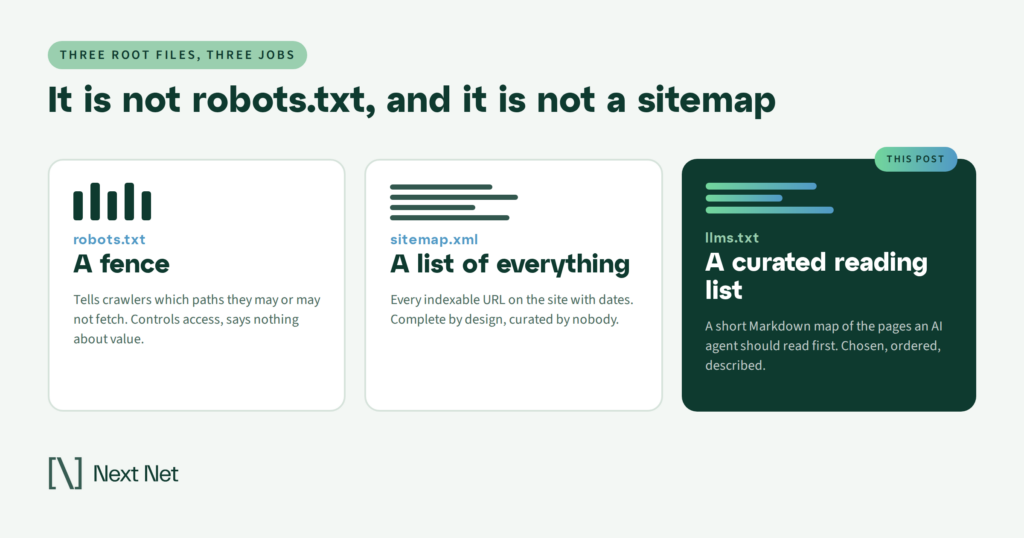
It helps to be precise about what the file is not. robots.txt is a fence; llms.txt is a reading list. A sitemap lists every indexable URL with no opinion about which ones matter; llms.txt is opinionated by design and is meant to stay small enough to fit inside a model’s context window. And unlike structured data, it lives outside your pages as a single site-wide document.
Do the engines read it?
This is the question that matters for a publisher, and the answer has three parts: what Google says, what Google’s other teams do, and what the logs show.
What Google says
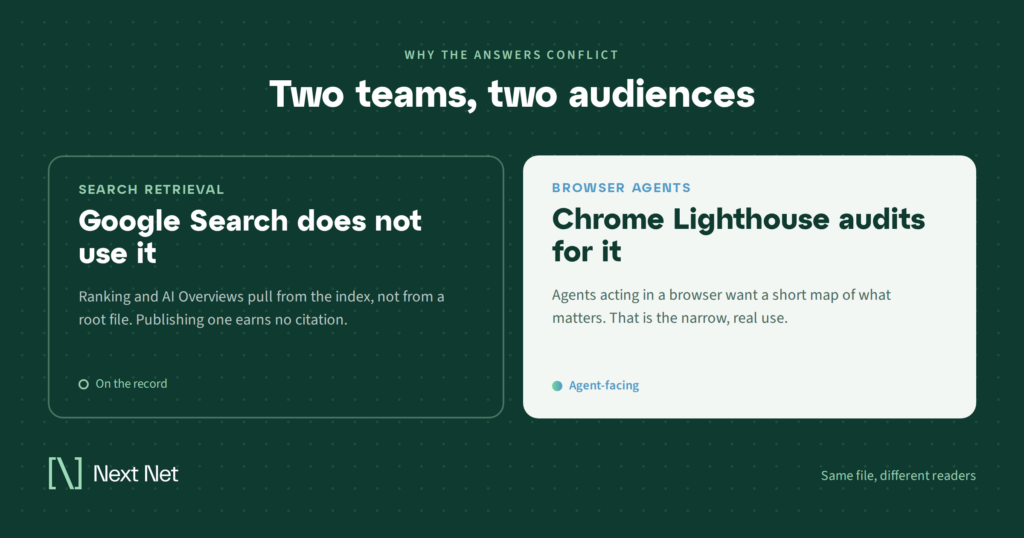
Google’s guide to optimizing for generative AI features includes a section it calls mythbusting, and llms.txt is the first item on the list. The guidance is that you do not need to create machine-readable files, AI text files, special markup, or Markdown to appear in Google Search or its generative AI features, because Google Search does not use them. Google may crawl the file the way it crawls any file it discovers, but it treats it no differently than any other URL. The guide adds that maintaining one for other systems is fine and will neither help nor harm your visibility in Google Search. That covers AI Overviews and AI Mode, since both draw from the same index and ranking systems.
What Google’s Chrome team does
A few days after that guide shipped in May 2026, the Chrome team added an llms.txt check to Lighthouse’s experimental agentic browsing audits. The audit is lenient: a missing file is marked not applicable, and only a server error fails it. The documentation’s reasoning is that without the file, browser agents may spend more time crawling a site to understand its structure.
Those two positions read as a contradiction until you separate the use cases. Search retrieval does not need the file. Browser agents that visit your site to complete a task for someone might benefit from it. Different product teams, different audiences, and both can be right at once.
What the logs show
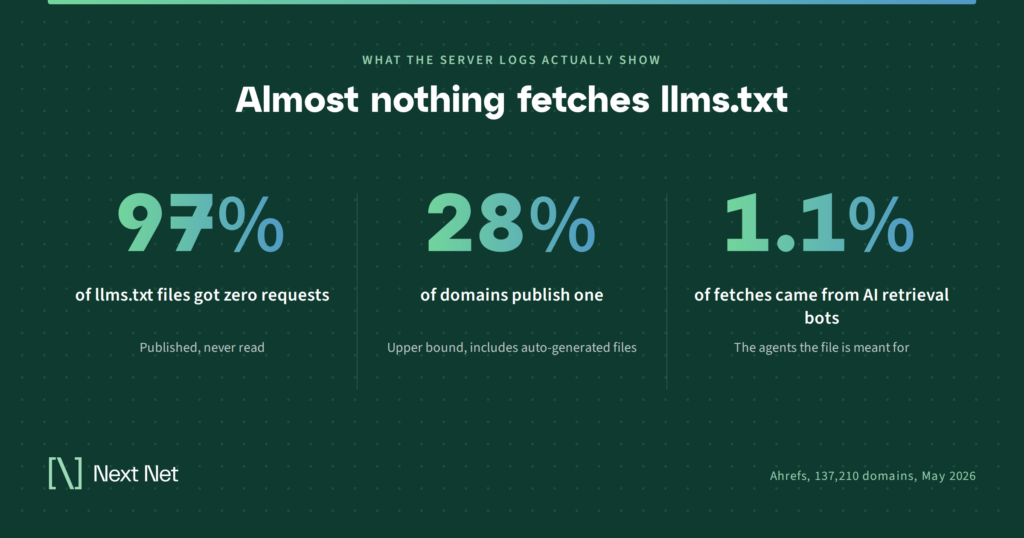
In June 2026, Ahrefs published a server-log study of 137,210 domains using its web analytics and bot analytics data for May 2026. About 28% of those domains published a valid llms.txt file, and the authors note that their customer base skews technical, so that figure is an upper bound for the web at large.
Of the roughly 38,000 domains with a file, 97% received zero requests for it during the month. No bots, no humans. Among the 3% that did get fetched, 96% of requests came from bots, and most of those bots were not AI tools at all: SEO audit crawlers, tech-profiling services, and general web crawlers each sent more requests than any single AI bot. AI bots of every kind combined accounted for 19.5% of fetches, and the largest of those were GPTBot, a training crawler, and Claude-Code, a coding agent. The retrieval bots that fetch pages to answer live questions in AI search products made up 1.1% of requests.
One more finding deserves its own paragraph. The study looked at every request for an llms.txt that returned a 404 and found that the AI-bot share of those requests was zero. AI systems do not go looking for the file on sites that lack one. They fetch it when a link, an index, or a user’s instruction tells them it exists. Publishing the file does not put you on anyone’s radar.
The authors are careful to say that a fetch is not a read, so every figure above is a ceiling on actual use, not a floor. Taken together with Google’s guidance, the practical conclusion for a publisher is plain: if your site is scenery in AI answers today, mentioned in passing or not at all while another outlet gets the link, llms.txt is not the lever that moves you into the frame.
So why would a publisher bother?
Three reasons survive the data. None of them is citations.
The first is agents. The AI readers that did show up in the logs were coding agents and agentic infrastructure, not search bots. For a software documentation site that is the whole audience. For a publisher it is a smaller slice today, but research assistants, shopping agents, and booking agents are the growth area every platform is investing in, and Google’s own guide points site owners toward agent-friendly practices as a next step. A curated map of your evergreen explainers and data pages is a reasonable thing to have ready for that traffic, even if it is thin now.
The second is cost. Writing the file takes twenty minutes if you already know which pages matter, and the spec site lists CMS and plugin integrations that will generate one for you. Within a year, having an llms.txt may be as ordinary as having a sitemap. The effort should match the payoff, which means keep it minimal and keep it reviewed.
The third is the one that pays off regardless of what any bot does. Writing an llms.txt forces an editorial decision: which fifteen to thirty pages on your site define it? For most publishers, that list is not the homepage and the latest headlines. It is the explainers, the guides, the databases, and the policies that a reader (or an agent) would need to trust and use your reporting. Those same pages are the ones you should be watching for AI citations, because when a model does link a publisher, it tends to link the durable page, not yesterday’s brief. That durable page is where a publisher stops being scenery and starts being the source.
Set expectations accordingly. The file will not raise rankings, will not guarantee a citation, and does not substitute for crawlable HTML and clear page structure, which is what the retrieval bots consume. The sections below assume you have decided the small cost is worth it.
How to write an llms.txt for a publisher site
Documentation sites have obvious sections: quick start, API reference, tutorials. A newsroom needs a different frame. Organize the file around what an agent would need in order to use your reporting responsibly: who you are, how you work, where the durable content lives, and how to attribute you.
A few rules before the example. Use your publication name as the H1. Keep the blockquote to two sentences: what you cover, for whom, where, and since when. Use the context paragraph for your standards, your corrections policy, and how you want to be cited. Write the note after each colon as a description of what the page answers, not marketing copy. Link only to pages that are stable and readable without a login, or to a preview page if the full article is metered. Stay under about fifty links. And put nothing in the file that reads like an instruction to a model; it should contain names, links, and descriptions, and nothing else.
Here is a complete example for a fictional regional publisher. The domain uses a reserved example suffix so the URLs resolve nowhere.
# The Foothill Gazette
> Independent local news and service journalism for the northern Piedmont, published daily since 1998. Coverage centers on county government, schools, housing, and small business, with a Saturday explainer series.The Gazette follows a published corrections policy and labels all sponsored content. Every article carries a byline and a dateline. When citing, attribute to “The Foothill Gazette” and link to the article URL.
## About and policies
– [About the Gazette](https://foothillgazette.example/about): Ownership, staff, and editorial mission
– [Editorial standards](https://foothillgazette.example/standards): Sourcing rules, corrections policy, and sponsored-content labeling
– [Contact and syndication](https://foothillgazette.example/contact): How to reach the newsroom and request reprint rights
## Explainers and evergreen guides
– [How county property taxes are assessed](https://foothillgazette.example/guides/property-tax-assessment): Reassessment cycle, appeal deadlines, and where to find a parcel record
– [Guide to the school board](https://foothillgazette.example/guides/school-board): How members are elected, the meeting calendar, and how public comment works
– [Renter’s guide to the county](https://foothillgazette.example/guides/renters): Tenant rights, deposit rules, and where to file a complaint
## Coverage sections
– [County government](https://foothillgazette.example/government): Ongoing coverage of commissioners, budgets, and ordinances
– [Schools](https://foothillgazette.example/schools): District news, budgets, and board decisions
– [Housing](https://foothillgazette.example/housing): Development, zoning, and affordability reporting
## Original data and investigations
– [Housing permit tracker](https://foothillgazette.example/data/permits): Monthly permit counts by municipality, updated the first week of each month
– [Restaurant inspection database](https://foothillgazette.example/data/inspections): Searchable county health inspection results
## Optional
– [Newsletter archive](https://foothillgazette.example/newsletters): Past editions of the weekday briefing
– [Full archive](https://foothillgazette.example/archive): Article index by year
A few of those choices are worth explaining. The context paragraph front-loads the two things an agent is most likely to get wrong about a news site: whether the content is labeled and how to attribute it. The explainers section comes before the coverage sections because a guide to property tax appeals answers a question, while a section page is a feed. The data section exists because original datasets are the content most likely to be reached for by a research agent and least likely to exist anywhere else. And the archive goes under Optional because it is large, slow to parse, and rarely what an agent needs first.
What is missing is just as deliberate. There is no link to the homepage, because the file is the homepage for this audience. There are no individual daily stories, because they age out. And there is no paywalled URL, because an agent that hits a login wall learns nothing and may stop.
Publishing it, pointing agents at it, and keeping it safe
Serve the file at your root as UTF-8 text with an HTTP 200 status. A content type of text/plain or text/markdown is fine. If your CMS or plugin generates one automatically, open it and read it before you leave it live; a generated dump of five hundred links with no descriptions is worse than no file, because it fails the one job the file has.
Then point to it. The version 2 spec recommends a link relation of describedby in the page head, or the same relation in an HTTP Link header set at the server or CDN. This matters more than most guides admit. The log data shows AI systems fetch llms.txt when directed and never speculatively, so an unlinked file sits unread by definition. If you publish Markdown versions of your key guides, the spec also recommends a link relation of alternate with a text/markdown type so agents can find them.
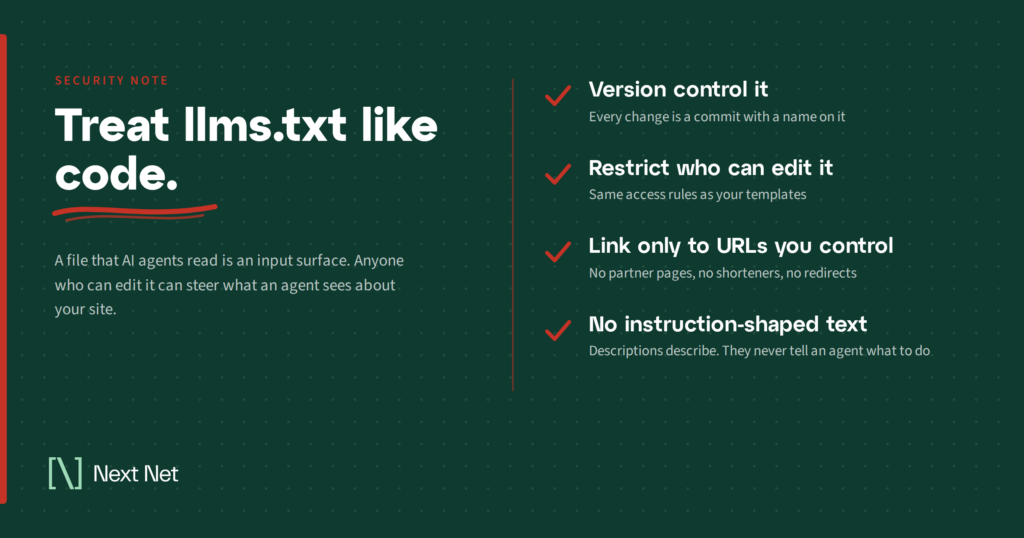
Finally, treat the file like code rather than like a blog post. Agents are built to trust it, and the Ahrefs data included a research crawler identifying itself as a prompt-injection survey, which means the attack surface is already being studied. Keep it in version control, restrict who can edit it, alert on changes, link only to URLs you control, and keep the content to names, links, and descriptions. A stale or tampered file misleads every agent that reads it, and you will not see the failure in your analytics.
How to tell whether anything is reading it
Do not take a vendor’s word for it. Filter your server logs, CDN logs, or bot analytics for requests to /llms.txt and look at two things: the status code and the user agent. A 404 tells you someone came looking before you published, and the log data suggests that someone was almost certainly a person, not a bot. Once the file is live, the user agents worth recognizing are the training crawlers (GPTBot, ClaudeBot), the retrieval bots (OAI-SearchBot, PerplexityBot), the on-demand assistants (ChatGPT-User, Claude-User), and coding agents such as Claude-Code. Expect the count to be near zero. That is the base rate across the web, not a sign that you did something wrong.
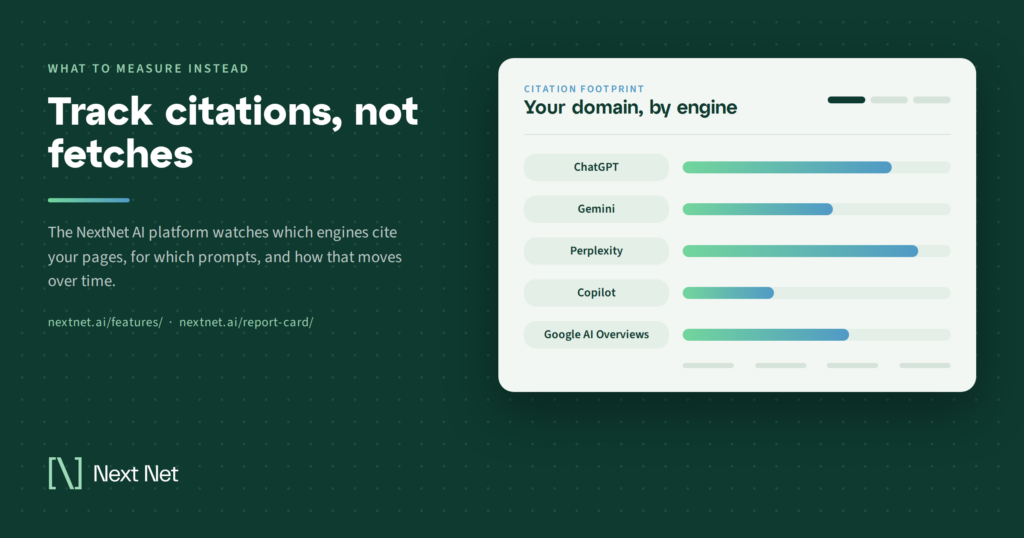
A fetch still is not a read, and neither is a citation. The measurement that tells a publisher whether AI answers are sending anyone their way is separate from the file entirely: for the questions your audience asks, which of your pages are ChatGPT, Gemini, Perplexity, Copilot, and Google AI Overviews citing, and which competing outlet gets the link when you do not? That is the work of tracking your citation footprint over time, and it is what the NextNet AI platform is built to measure. The llms.txt file is a small input on the site side. The citation data is the output that tells you whether you have left the scenery.
Frequently asked questions
Does llms.txt help with SEO or Google rankings?
No. Google’s documentation states that Search does not use the file and that publishing one neither helps nor harms visibility in Google Search, including AI Overviews and AI Mode. Any SEO benefit you see after adding one came from something else you changed.
Is llms.txt the same thing as robots.txt?
No. robots.txt tells crawlers which paths they may access and is honored by every major crawler. llms.txt controls nothing; it is a curated summary and link list that an agent may choose to read. If you block a crawler in robots.txt, nothing in llms.txt overrides that.
Do I need an llms-full.txt file too?
The current specification describes llms.txt and clean Markdown versions of individual pages. Some documentation platforms also generate a companion file that concatenates an entire site into one document, but that is a platform convention rather than part of the spec, and it makes little sense for a publisher with a large, changing archive. Start with the index file.
Will an llms.txt file get my articles cited in ChatGPT or Perplexity?
There is no evidence that it does. Retrieval bots for AI search products accounted for about 1% of the requests to llms.txt files in the Ahrefs study, and no platform has said it uses the file when choosing sources. Citations come from the pages those bots fetch and the quality signals around them. Track your citations directly rather than inferring anything from the file.
How often should I update it?
Whenever a linked page moves, retires, or is replaced, and on a fixed review cadence otherwise, quarterly is reasonable for most newsrooms. Because agents trust the file, a broken or stale link does more harm than a missing one. Keep a change log alongside it.
Where llms.txt fits
Write the file if you have a clear list of durable pages and twenty minutes, link to it from your pages, lock down who can edit it, and then stop thinking about it. It is a courtesy to agents and a useful editorial exercise, not a way out of the scenery.
The strategy is knowing which of your pages the engines cite, which questions you are absent from, and where a competing outlet is taking the link you should have. If you want that picture for your site, see how NextNet AI measures citations across ChatGPT, Gemini, Perplexity, Copilot, and Google AI Overviews, or request a report card for your domain.
Related Articles
On September 15, 2026, Cloudflare flipped a default that touches a large slice of the web. Training and Agent crawlers…

Every few weeks another headline lands: a publisher sues an AI company, an AI company calls the claim meritless, and…
Ask a publisher whether AI is using their content and the answer is almost always yes. Ask them how, and…